Back to Gallery

Free Photography Invoice Template

Perfect for photographers, studios, videographers, and content creators. Bill for sessions, editing, and licensing.

Download Template

No account required to start β€’ Free PDF export

  • Session & per-image pricing
  • Usage licence tracking
  • Deposit & balance tracking
  • Automatic tax calculations
  • Professional branding
  • Instant PDF download
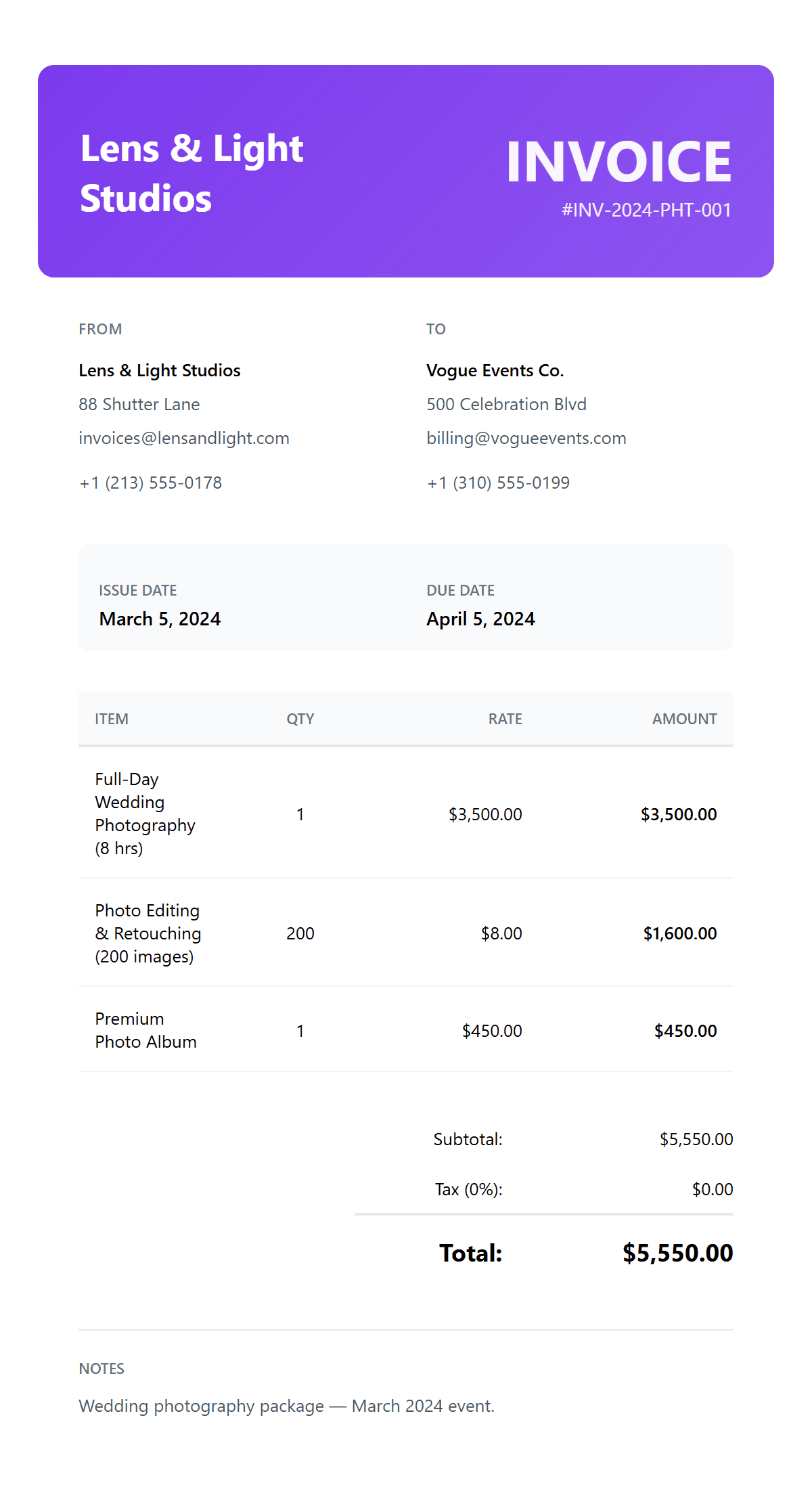
Free Photography Invoice Template preview
πŸ“· Photography Industry

When to Use a Photography Invoice

A photography invoice is used by photographers, studios, and videographers to bill clients for creative services. Photography invoices are essential for:

  • β€’Portrait & headshot sessions β€” corporate headshots, family portraits, personal branding sessions, graduation photos, and any studio or on-location portrait work
  • β€’Events & weddings β€” wedding photography packages, corporate events, conferences, parties, and any multi-hour event coverage with editing and album delivery
  • β€’Commercial & product β€” product photography, real estate shoots, food photography, brand content, and commercial projects with specific usage licensing requirements
  • β€’Editing & post-production β€” retouching, colour correction, image compositing, and express delivery charges billed per image or as flat-rate packages

Pro Tip: Always require a 50% deposit at booking and include usage licence terms on every invoice. This protects your work and sets clear expectations with clients.

How to Create a Photography Invoice

Creating a professional photography invoice ensures clear billing and protects your creative work. Use our photography-optimised invoice creator with session pricing, licence tracking, and automatic calculations built for photographers.

How to Get Paid for Photography Work

Streamline your photography billing to ensure timely payments and protect your creative assets.

Add Your Studio Details

Enter your studio or business name, address, phone number, and email. Upload your logo so clients immediately recognise your invoices. Include your website or portfolio link for a professional touch.

Enter Client & Shoot Information

Add the client's name, company (if applicable), and billing address. Reference the shoot date and location so both parties have a clear record. For corporate clients, include a purchase order number if provided.

Break Down Your Services as Line Items

List each service separately β€” session fee, number of edited images, retouching, prints, travel, assistant fees, and equipment rental. Clear itemisation justifies your pricing and reduces client queries.

Add Licensing, Tax & Discounts

If images will be used commercially, add a licensing fee as a line item and specify the usage scope in the notes. Apply your local sales tax or VAT rate. Offer a bundle discount if the client has booked multiple sessions.

Set Payment Terms & Download PDF

Set your payment terms β€” 50% deposit at booking, balance on delivery is standard. For corporate clients, Net 14 or Net 30 is typical. Add your bank details or payment link, then download the invoice as a professional PDF.

Pricing & Billing

  • βœ“ Session & Per-Image Pricing
  • βœ“ Deposit & Balance Tracking
  • βœ“ Bundle Discount Support
  • βœ“ Automatic Calculations

Licensing & Rights

  • βœ“ Usage Licence Tracking
  • βœ“ Commercial Rights Management
  • βœ“ Duration-Based Licensing
  • βœ“ Exclusive/Non-Exclusive Terms

Professional Output

  • βœ“ Professional Branding
  • βœ“ Automatic Tax Calculations
  • βœ“ Instant PDF Download
  • βœ“ Word & Excel Export

Frequently Asked Questions