Back to Gallery

Free Construction Invoice Template

Perfect for contractors, builders, and construction companies. Bill for labor, materials, and project milestones with a professional layout.

Download Template

No account required to start β€’ Free PDF export

  • Materials & labor cost breakdown
  • Project milestone tracking
  • Contractor license & compliance fields
  • Change order management
  • Equipment & subcontractor costs
  • Automatic tax calculations
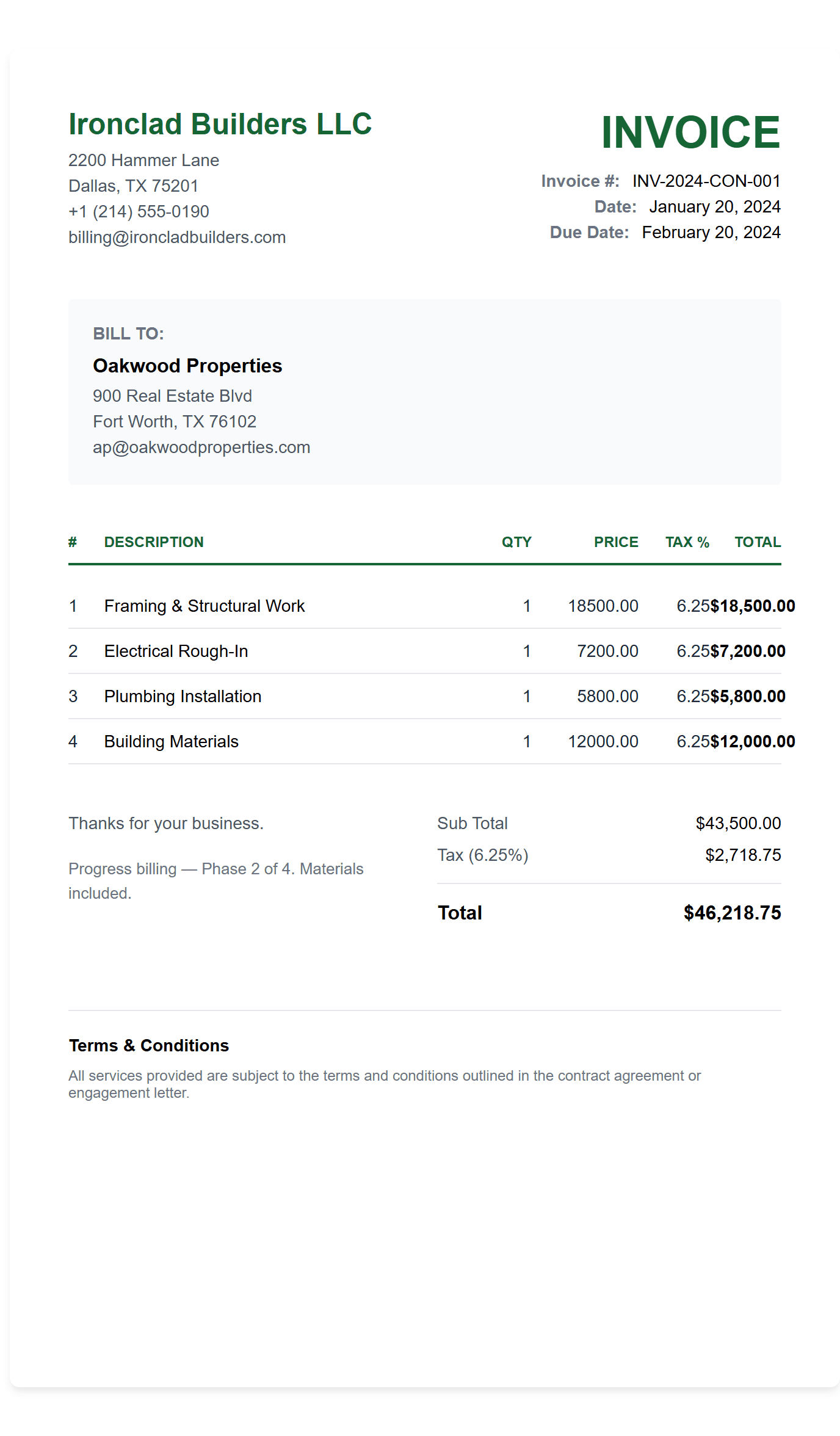
Free Construction Invoice Template preview
πŸ—οΈ Construction Industry

When to Use a Construction Invoice

A construction invoice is used by contractors, builders, and construction companies to bill clients for project work including labor, materials, and milestones. Construction invoices should clearly document:

  • β€’Contracting work β€” general contractors, remodeling projects, home improvements, and renovation work with materials and labor costs
  • β€’Large-scale projects β€” commercial construction, new builds, and infrastructure projects with multiple phases and milestone payments
  • β€’Specialized services β€” electrical, plumbing, HVAC, roofing, and other specialized construction trades that require detailed cost breakdowns
  • β€’Change orders and additional work β€” approved scope changes with reference numbers and dates, clearly showing additional costs for transparency

Pro Tip: Always include your contractor license number and separate materials from labor on every invoice. This ensures legal compliance and helps clients understand exactly what they are paying for.

How to Create a Construction Invoice

Creating a professional construction invoice ensures timely payment and project transparency. Use our construction-optimised invoice creator with materials & labor breakdown, milestone tracking, and automatic tax calculations built for contractors and builders.

How to Get Paid for Construction Work

Getting paid on time is critical for construction businesses. Follow these steps to ensure smooth billing and faster payments from your clients.

Add Your Business & License Information

Include your business name, contractor license number, address, contact details, and tax ID. Upload your company logo for brand recognition.

Enter Client & Project Details

Fill in your client's name, project address, billing address, and contact information. Include project description, start date, and completion date.

Break Down Materials & Labor

List all materials with quantities and costs. Add labor hours with hourly rates. Include equipment rental, permits, and subcontractor fees as separate line items.

Calculate Taxes & Apply Discounts

Apply sales tax to materials where applicable (labor is often tax-exempt). Add any bulk order discounts or early payment incentives.

Set Payment Terms & Milestones

Specify payment terms (Net 30, progress payments, etc.), due dates, accepted payment methods, and any retention amounts. Include warranty information if applicable.

Materials & Labor Breakdown

  • βœ“ Separate material & labor costs
  • βœ“ Project milestone tracking
  • βœ“ Equipment rental fees
  • βœ“ Subcontractor expenses

Compliance & Documentation

  • βœ“ Contractor license fields
  • βœ“ Change order management
  • βœ“ Lien law compliance
  • βœ“ Permit cost tracking

Billing & Payments

  • βœ“ Progress payment schedules
  • βœ“ Automatic tax calculations
  • βœ“ Retention tracking
  • βœ“ Multiple export formats

Frequently Asked Questions