Back to Gallery

Free Cleaning Invoice Template

Perfect for cleaning businesses, maid services, and janitorial companies. Bill for residential and commercial cleaning jobs.

Download Template

No account required to start β€’ Free PDF export

  • Service task itemisation
  • Recurring job tracking
  • Hourly & flat-rate pricing
  • Automatic tax calculations
  • Professional branding
  • Instant PDF download
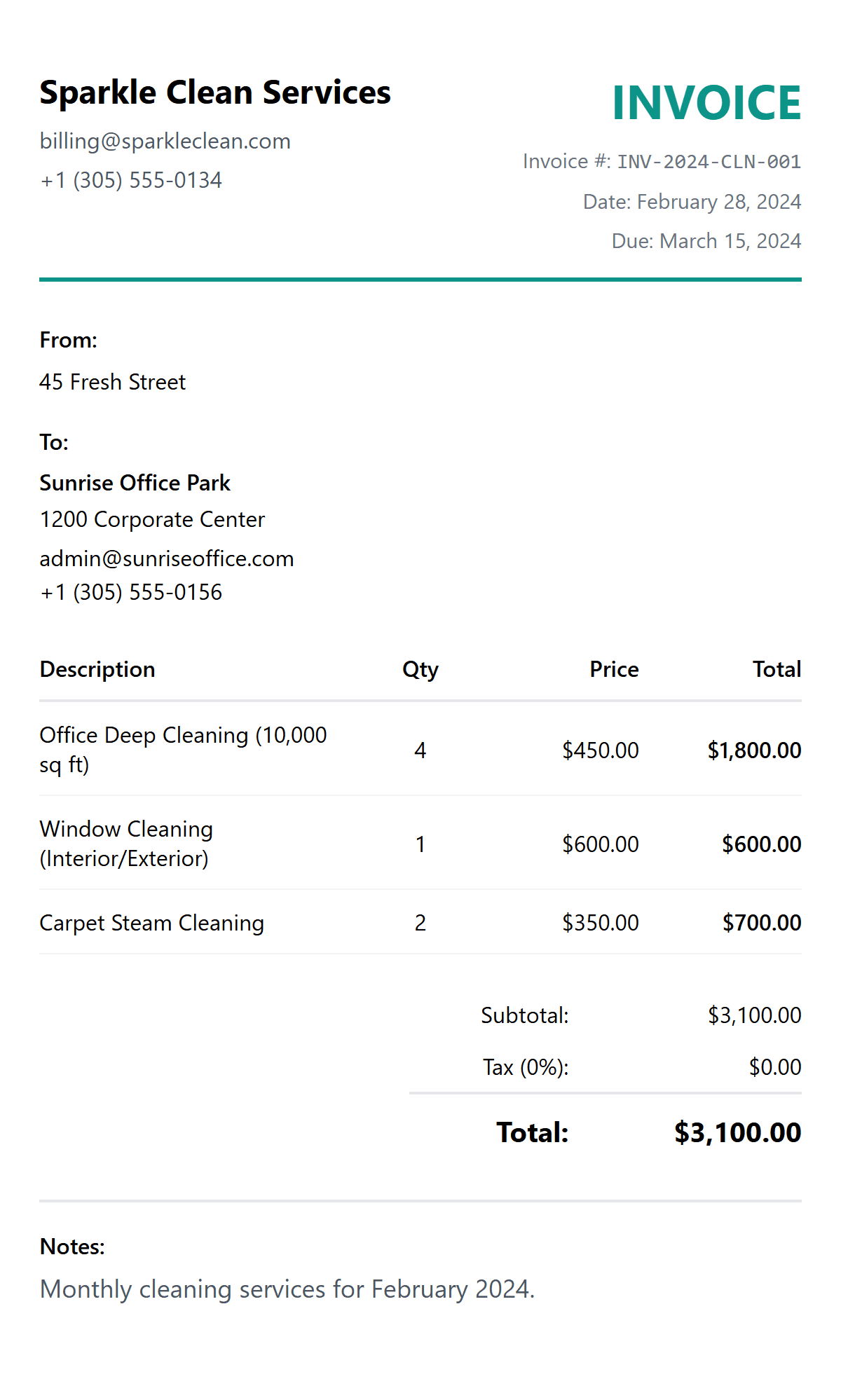
Free Cleaning Invoice Template preview
🧹 Cleaning Industry

When to Use a Cleaning Invoice

A cleaning invoice is used by cleaning businesses, maid services, and janitorial companies to bill clients for residential and commercial cleaning work. Cleaning invoices are essential for:

  • β€’Residential cleaning β€” house cleaning, apartment turnovers, move-in/move-out cleans, and recurring weekly or bi-weekly home cleaning services
  • β€’Commercial cleaning β€” office cleaning contracts, retail space maintenance, warehouse cleaning, and any commercial janitorial services billed on a regular schedule
  • β€’Specialty cleaning β€” deep cleans, carpet and upholstery cleaning, window washing, post-construction cleaning, pressure washing, and one-off specialist jobs
  • β€’Supplies & extras β€” separately itemising cleaning products, equipment usage, and any additional services beyond the standard clean

Pro Tip: Include a clear cancellation policy on every invoice. Many cleaning businesses charge 50% of the scheduled service for cancellations within 24 hours.

How to Create a Cleaning Invoice

Creating a professional cleaning invoice ensures timely payments and clear records. Use our cleaning-optimised invoice creator with task itemisation, recurring job support, and automatic tax calculations built for cleaning businesses.

How to Get Paid for Cleaning Services

Streamline your cleaning business billing to ensure consistent, on-time payments from residential and commercial clients.

Add Your Cleaning Business Details

Enter your company name, address, phone number, and email. Upload your logo so clients recognise your invoices immediately. If you have insurance or a business licence number, include it in the notes for added professionalism.

Enter Client & Property Information

Add your client's name, billing address, and the service location if it's different. For commercial clients, include the company name and contact person so the invoice reaches the right department.

List Every Cleaning Task as a Line Item

Break down the work into clear line items β€” general cleaning, deep cleaning, window washing, carpet cleaning, restroom sanitisation, etc. Include hours or a flat rate for each task. This transparency builds trust and reduces payment disputes.

Add Supplies, Tax & Discounts

If you charge for cleaning supplies separately, add them as a line item. Apply the correct sales tax or VAT rate for your area. You can also add a recurring-client discount or early-payment incentive to encourage prompt payment.

Set Payment Terms & Download PDF

Choose your payment terms β€” due on receipt for residential clients, Net 15 or Net 30 for commercial contracts. Add your bank details or payment link, then download the invoice as a professional PDF ready to email or print.

Task Management

  • βœ“ Itemised Task Breakdown
  • βœ“ Recurring Invoice Support
  • βœ“ Hourly & Flat-Rate Pricing
  • βœ“ Supplies Line Items

Billing & Tax

  • βœ“ Automatic Tax Calculations
  • βœ“ Cancellation Fee Support
  • βœ“ Client Discount Management
  • βœ“ Multiple Currency Support

Professional Output

  • βœ“ Professional Branding
  • βœ“ Instant PDF Download
  • βœ“ Word & Excel Export
  • βœ“ Mobile-Friendly Creation

Frequently Asked Questions